Chat Hub
Publisher Description

Store Notifications on your Gear for Initiate Conversation/Multiple Replies
The app currently supports the following services: Whatsapp, Messenger, Hangouts (requires Android Wear to be installed), Line, Kakaotalk, Telegram, BBM, Signal, Textra, Chomp, Android Messages.
How to:
1. You need to install the Chat Hub Gear app in the Samsung Galaxy App Store first.
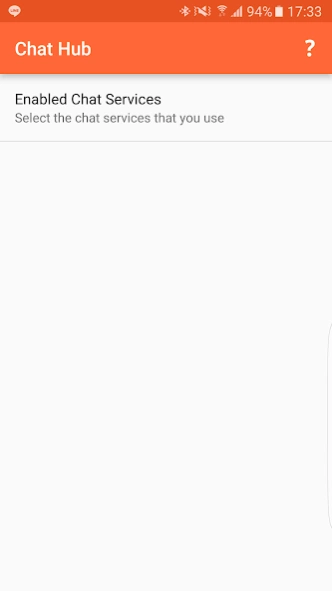
2. Open this app, grant access to notification and select desired services.
3. Wait for incoming notifications. Once notifications arrive, they will be kept for future usage inside Chat Hub.
4. Select the person you want to send messages inside Chat Hub Gear app and send your message. Send as many messages as you want.
If you have any questions or request, please send me an email.
Thanks
About Chat Hub
The company that develops Chat Hub is Claybikeltd. The latest version released by its developer is 1.0 .
To install Chat Hub on your Android device, just click the green Continue To App button above to start the installation process. The app is listed on our website since 2020-05-03 and was downloaded 29 times. We have already checked if the download link is safe, however for your own protection we recommend that you scan the downloaded app with your antivirus. Your antivirus may detect the Chat Hub as malware as malware if the download link to com.lehoang.messengerhub is broken.
How to install Chat Hub on your Android device:
- Click on the Continue To App button on our website. This will redirect you to Google Play.
- Once the Chat Hub is shown in the Google Play listing of your Android device, you can start its download and installation. Tap on the Install button located below the search bar and to the right of the app icon.
- A pop-up window with the permissions required by Chat Hub will be shown. Click on Accept to continue the process.
- Chat Hub will be downloaded onto your device, displaying a progress. Once the download completes, the installation will start and you'll get a notification after the installation is finished.
Program Details
System requirements
Download information
Pricing
Version History
version
posted on 2020-05-03
Fixed some Whatsapp crashes. Please email me if you still experience any issues. Thank you!
version
posted on 2020-01-09
Minor bug fixes and modifications. If you have keyboard issues on your Watch Active 2, please update your watch software from the Galaxy Wearable app to solve it
version
posted on 2019-10-14
Minor bug fixes
version
posted on 2019-10-01
Bug fixes
version
posted on 2019-09-06
Fix some issues with the latest whatsapp. please stay on the stable whatsapp channel. don't use whatsapp beta.
version 1.4
posted on 2017-01-05
1.4:,Added an option for manually pin a notification.,Bug fix for WhatsApp and Telegram group chat.,If you do not use any of these two chat services, you can skip this update. Updating the app will lose the current notification database, but they will be added back overtime. Sorry for the inconvenience.,1.3:,- Automatically stores conversations if available,- App auto starts after phone restarts.,- Persistent notification disappear on status bar/lockscreen.,- Select services of your choice.
